
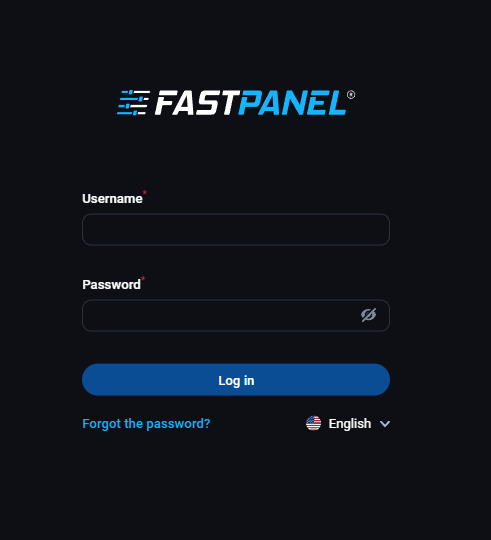
In the digital age, where website management has become a cornerstone for businesses and individuals alike, the quest for an efficient, user-friendly, and cost-effective control panel is ever-present. FastPanel.direct emerges as a compelling answer to this quest, offering a free, feature-rich control panel that simplifies the complexities of web hosting and site management.
What is FastPanel?
FastPanel is an innovative web hosting control panel that provides users with a wide array of tools to manage their websites, emails, and server functions efficiently. Designed with both novices and experienced users in mind, it boasts a clean, intuitive interface that demystifies website management.
Key Features:
-
User-Friendly Interface: FastPanel features a sleek, modern interface that is both aesthetically pleasing and easy to navigate. This makes it ideal for beginners, while still offering the depth required by more advanced users.
-
Comprehensive Website Management: From domain management to website deployment, FastPanel covers all aspects. It allows users to easily create, edit, and manage websites, databases, and email accounts.
-
Advanced Security: Security is a top priority, and FastPanel.direct comes equipped with robust security features to protect websites from potential threats. This includes SSL certificate installation, firewall management, and regular security updates.
-
Efficient File Management: The built-in file manager enables users to easily upload, edit, and manage their web files without needing additional FTP software.
-
One-Click Installations: FastPanel.direct simplifies the process of installing popular CMS platforms like WordPress, Joomla, and Drupal with its one-click installation feature.
-
Resource Monitoring: It provides real-time insights into server and website performance, helping users monitor resource usage and optimize accordingly.
Why Choose FastPanel?
-
Cost-Effective: Being a free control panel, FastPanel.direct is an excellent choice for startups, small businesses, and individuals who are looking for a budget-friendly solution without compromising on features.
-
Flexibility and Scalability: Whether you’re managing a single website or multiple, FastPanel.direct scales to meet your needs, offering the flexibility to grow as your online presence expands.
-
Regular Updates and Support: Despite being free, FastPanel.direct offers regular updates to keep the platform secure and efficient. The community support, along with available documentation, makes troubleshooting simpler.
-
Customization Options: Users can customize their control panel experience, tailoring it to their specific needs and preferences.
To install FastPanel.direct, a free web hosting control panel, you'll need to follow a series of steps. This guide assumes you have a server with a fresh installation of a compatible Linux distribution (like Ubuntu, CentOS, or Debian). Here’s a step-by-step guide:
Prerequisites
-
A Dedicated Server or VPS: You need a server where you can install FastPanel.direct. This can be a local server or a cloud-based VPS.
-
A Supported Operating System: FastPanel.direct supports various Linux distributions. Ensure your server runs on a compatible version of Ubuntu, CentOS, or Debian.
-
Root Access: You must have root access to your server to perform the installation.
-
Basic Server Setup: Before installing FastPanel.direct, set up your server with a secure SSH connection. It’s recommended to update your server to the latest version of its OS and have a static IP address.
Installation Steps
-
Connect to Your Server:
- Use an SSH client to connect to your server. If you're using a Windows machine, you can use a tool like PuTTY or any other SSH client.
-
Update Your Server (optional but recommended):
- For Ubuntu/Debian: Run
sudo apt update && sudo apt upgrade - For CentOS or AlmaLinux: Run
sudo yum update
- For Ubuntu/Debian: Run
-
Download the Installation Script:
- Execute the following command to download the FastPanel.direct installation script:
wget http://repo.fastpanel.direct/install_fastpanel.sh
- Execute the following command to download the FastPanel.direct installation script:
-
Run the Installation Script:
- Make the script executable and run it:
chmod +x install_fastpanel.sh
sudo ./install_fastpanel.sh
- Make the script executable and run it:
-
-
Follow the Installation Prompts:
- The script will guide you through the installation process. Follow the on-screen instructions. It will install all necessary components, including a web server (like Apache or Nginx), database server, and other dependencies.
-
Access FastPanel.direct:
- Once the installation is complete, you can access FastPanel.direct through your web browser. Use your server's IP address followed by port 8888:
- Once the installation is complete, you can access FastPanel.direct through your web browser. Use your server's IP address followed by port 8888:
-
-
http://your_server_ip:8888 - The installation script usually provides the initial login credentials (username and password).
-
-
Post-Installation Setup:
- After logging in, you might want to change your password and configure additional settings like email servers, domain names, and SSL certificates.
-
Check for Updates:
- Regularly check for updates to keep FastPanel.direct secure and stable.
Additional Tips
- Security: Always prioritize security. Consider setting up a firewall and using SSH keys for server access.
- Backups: Regularly backup your server and FastPanel.direct settings.
- Documentation: Refer to FastPanel.direct’s official documentation for detailed guidance and troubleshooting tips.
FastPanel stands out as a remarkable tool in the realm of web hosting control panels. Its combination of user-friendliness, comprehensive features, and cost-effectiveness makes it an attractive option for anyone looking to streamline their website management process. Whether you’re a beginner or an experienced webmaster, FastPanel.direct is poised to enhance your web hosting experience, making it more efficient and enjoyable.


